Flexxstream IPTV subscribers ask one question more than any other: which player app actually gets the most out of the service? The answer depends on your device, but the difference between a good player and a bad one is the difference between smooth 4K streaming and constant buffering.
Note: Flexxstream is spelled with two X's — flexxstream.com.
If you landed here searching for a similar-sounding name, make sure you're on the right site before subscribing anywhere.
This guide compares every major IPTV player available in 2026, tells you exactly which one to use with Flexxstream on each device, and covers the settings that make the biggest difference for live sports streaming.
Why the IPTV Player You Choose Matters
The IPTV player app is not just a channel list. It controls buffer size, EPG loading, hardware decoding, and how quickly you can switch channels during a live match. Two people using the exact same Flexxstream subscription can have completely different streaming experiences depending on which player they chose and how it's configured. A poorly configured player causes buffering that looks like a provider problem but is actually a settings problem. Before troubleshooting your connection, confirm your player is set up correctly using the comparisons below.
→ Article #2: How to Fix IPTV Buffering
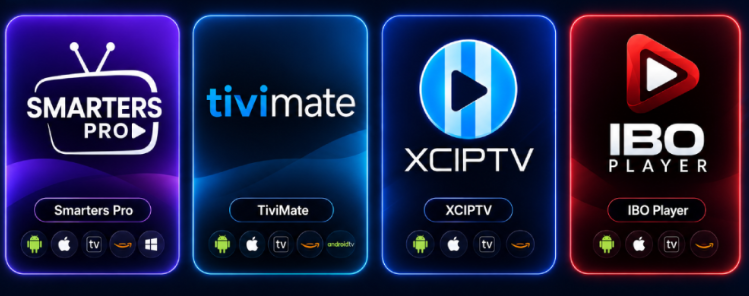
Best IPTV Players for Flexxstream — Full Comparison
| Player | Best For | Platform | EPG Quality | Price |
|---|---|---|---|---|
| TiviMate | Firestick, Android TV | Android only | Excellent | Free / $4.99 premium |
| IPTV Smarters Pro | Beginners, all devices | Android, iOS, Windows, Mac | Good | Free |
| Perfect Player | Older/low-RAM devices | Android | Good | Free |
| GSE Smart IPTV | iPhone, iPad | iOS | Good | Free / paid version |
| VLC Media Player | Desktop, quick testing | Windows, Mac, Linux | None | Free |
TiviMate — Best Overall Player for Flexxstream
TiviMate is the top recommendation for Flexxstream subscribers on Firestick or Android TV. It offers the most customizable buffer settings, the cleanest channel list interface, and the fastest channel switching of any player available in 2026.
Setting up Flexxstream with TiviMate:
1. Install TiviMate on your device
2. Select Add Playlist
3. Choose Xtream Codes or M3U depending on your Flexxstream login details
4. Enter your Flexxstream server URL, username, and password
5. Wait for channels to load, then set buffer to 10-15 seconds in Settings → Player for the smoothest sports viewing TiviMate Premium ($4.99/year) adds multi-screen view and recording — worth it if you watch sports on Flexxstream regularly.
“Firestick” → Article #3: How to Install IPTV on Firestick
“Android TV” → Article #4: How to Install IPTV on Android TV
IPTV Smarters Pro — Best for Beginners
IPTV Smarters Pro is the easiest player to set up with Flexxstream, especially for first-time IPTV users. It works across every major platform with one consistent interface.
Setting up Flexxstream with IPTV Smarters:
1. Install IPTV Smarters Pro
2. Select Login with Xtream Codes API
3. Enter your Flexxstream credentials
4. Select Add User The main advantage is universal compatibility — the same setup process works whether you're on Android, iOS, Windows, or Mac, which makes it the recommended starting point for new Flexxstream subscribers testing the service across multiple devices.
Perfect Player — Best for Older Devices
If you're running Flexxstream on an older Firestick or a budget Android TV box with limited RAM, Perfect Player is lighter than TiviMate and handles large channel lists without crashing on lower-spec hardware.
Setting up Flexxstream with Perfect Player:
1. Install Perfect Player
2. Go to Settings → Playlist
3. Enter your Flexxstream M3U URL
4. Go to Settings → EPG and add your EPG URL if provided
5. Restart the app
GSE Smart IPTV — Best for iPhone and iPad
For iOS users, GSE Smart IPTV is the most reliable option for streaming Flexxstream on iPhone or iPad. The free version covers everything most subscribers need; the paid upgrade adds recording and additional customization.
Player Settings That Matter Most for Live Sports
Regardless of which player you choose for Flexxstream, these settings make the biggest difference during live sports streaming:
Buffer size: Increase to 10-15 seconds for live sports specifically — default settings are tuned for on-demand content and are too conservative for live streams.
Hardware decoding: Always enable this if the option exists.
It shifts video processing to your device's dedicated chip instead of the general processor, reducing stutter significantly.
Player engine: If given a choice, select ExoPlayer over VLC-based engines on Android devices — ExoPlayer handles high-bitrate live sports streams more reliably.
EPG refresh timing: Set automatic EPG updates for early morning hours (e.g. 6 AM) so they never interfere with your viewing.
→ Article #2: How to Fix IPTV Buffering
esting Your Player Setup Before Game Day
Before any major match, confirm your Flexxstream + player combination is fully optimized:
1. Open your chosen player and load a live sports channel
2. Watch for at least 15 minutes continuously
3. Switch channels rapidly during a break — should take under 3 seconds each time
4. Check that the stream stays HD quality throughout, not dropping to SD under load If any of these checks fail, revisit the buffer and hardware decoding settings above before match day arrives.
"90-minute test" → A5: Best IPTV Services 2026